
Run the script on a runner
Executes headlessly on your workstation or a cloud machine.
Agent-driven CAD
Send a PDF, DWG or scanned engineering drawing. Aikyora rebuilds it as an editable parametric model and exports STEP, BREP, IGES or STL.
6
CAD engines
5
Export formats
Free
To start
Free plan · 5 credits a month · no card
Rebuild parts, recover prints, clean geometry, and issue sheets — while your team reviews the solid, not the queue.
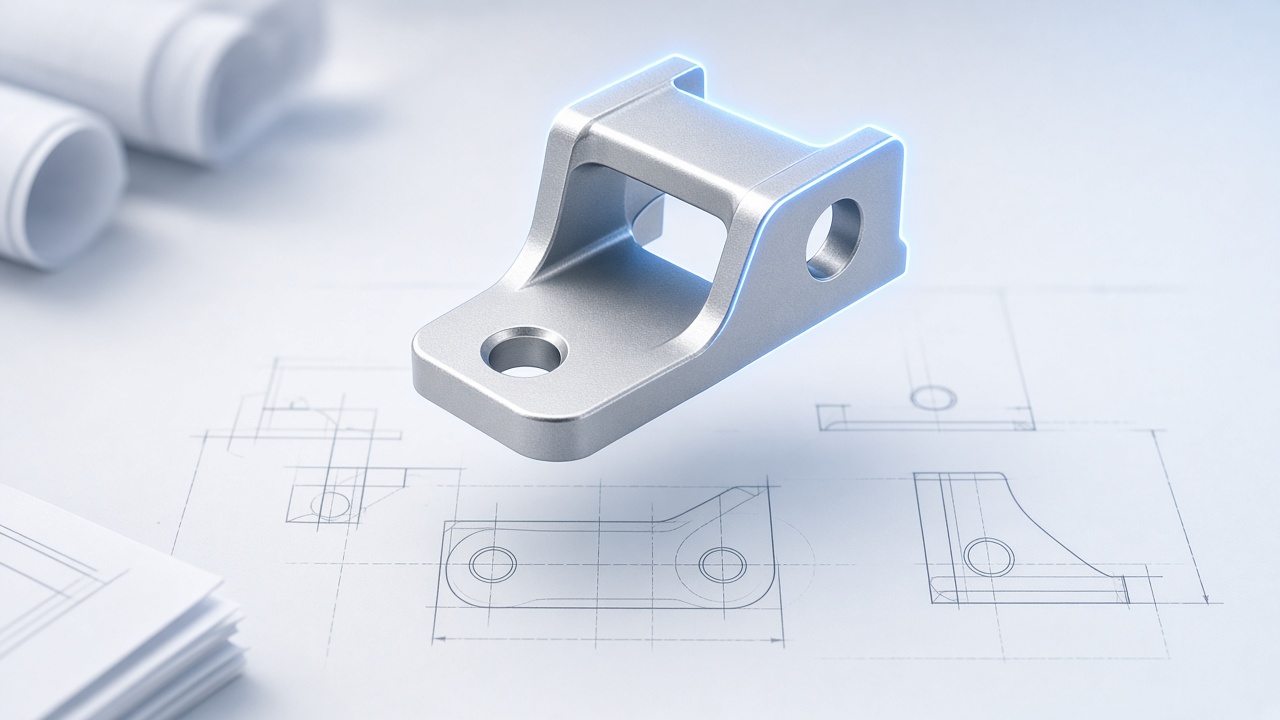
Scripted, re-runnable models
Create a modelling agent, point it at CadQuery or FreeCAD, and let it build solids from a description — no CAD UI required.
Modelling studio
LiveModelling agent
CadQuery · Local runner
CQ
CadQuery · solids
FC
FreeCAD · kernel
Rh
Rhino · surfacing
Script preview
Parametric · Named · Re-runnable
result = (
  cq.Workplane("XY")
    .box(80, 40, 12)
    .faces(">Z").workplane()
    .hole(8)
)
Ready to run on the local runner
LaunchRunner
Live runs · Always on
12
Queued
3
Running
41
Issued
Active now
View allFlanged housing
CadQuery · Building
Scan vectorise
PyMeshLab · Repairing
Bracket drawing
model_to_2d · Issued
Next run
Batch STEP export · 6:00 PM
Let the agent drive your CAD tools
Point a workstation at your workspace or enable cloud capacity. The agent keeps modelling while your team reviews solids and drawings.
Local runner
The agent executes on your own workstation, so geometry never leaves the machine and runtime costs nothing extra.
Cloud runner
Jobs run in parallel without depending on one desk being on. Runtime is metered by the second and shows up in credits.
Automate tasks & actions
Executes headlessly on your workstation or a cloud machine.
STEP, BREP or IGES, produced from the live geometry.
Scripts and outputs land in your own scoped store.
A true-scale sheet generated from the same model.
Blender scene and camera, driven from the conversation.
Change a dimension and the whole model rebuilds.
15
Agent skills, from solids to post-processing
6
CAD and CAE engines driven headlessly
$0.25
Per credit, charged after the work completes
Built-in intelligence
# CadQuery
wp.box(80, 40, 12)
.faces(">Z").hole(8)
Named parameters, re-runnable source, readable revisions.
CadQuery, FreeCAD, Rhino, Blender, PyMeshLab and ParaView.
Repair meshes and defeature solids before they cost a solve.
Views, sections and dimensions derived, never re-typed.
STEP, BREP, IGES, STL and GLB in and out.
Runner · 12.4s
CadQuery build
−1.25 credits
Flanged housing · STEP
Credits debited from reported tokens and runtime seconds.
Use cases
Mechanical Design
The model is a script, so changing a bore diameter rebuilds the whole part instead of starting a feature-tree hunt.
Easy to use · No coding required
Spin up modelling agents, attach local or cloud runners, watch the credit ledger, and keep every solid and drawing in one place.
FAQ
More questions? Email hello@aikyora.com
Yes, but not by extraction. A 2D drawing PDF stores flat views, dimension text and lines — there is no solid inside it for a converter to pull out. Aikyora reads the views and rebuilds the part as a real solid, then exports it. Tools advertised as PDF-to-STEP only work on 3D PDFs, which already contain a model.
Send PDF, DWG, DXF or a scanned sheet. You get back STEP, BREP or IGES for solids, and STL or GLB when a mesh is what you need.
A B-Rep solid from a CAD kernel. Mesh-based generative 3D is useful for judging a form, but it carries no manufacturing intent, so it is kept separate from the modelling path.
Yes. The model is produced by a CadQuery or FreeCAD script with named parameters, so changing a bore or wall thickness re-runs the whole model instead of starting a feature-tree hunt.
STEP, IGES and BREP are neutral exchange formats, so the output opens in whichever package you already run. The agent itself drives CadQuery, FreeCAD, Rhino, Blender, PyMeshLab and ParaView headlessly on a machine called a runner.
Only if you let it. The Free and Starter plans run on a local runner — your own workstation — so geometry stays on the machine. Business adds cloud runners, and Enterprise adds on-premise runners inside your own network.
That is handled by the same path. The scan is vectorised once, on the original file, using the scale bar on the sheet when one is present. Resizing or re-encoding a scan before reading it destroys the relationship between pixels and millimetres, so the file is analysed exactly as supplied.
Nothing. The Free plan gives you 5 credits a month, one local runner and 20 conversations, with no card required. A credit costs $0.25, and a small agent turn or one generated model costs roughly one and a quarter credits.